KICKAPP for clubs
FreeRun your whole club. One app.
Club Mode is for grassroots clubs, youth teams and anyone running more than a kickabout. Parents, kids, training, fixtures and every age group, sorted in one place.
Club Mode is free. Organisers just switch modes depending on what they run · free for players and parents too
What you get
Everything in KICKAPP.
Plus your club.
Parents and kids
Parents add their children to the squad, check them in and out, and get every alert for them. Kids don’t need a phone or an account.
The whole season in one go
Add a block of weekly training and every fixture, home or away, in one go. Everyone gets one alert, not twenty.
Age groups
Under-7s to Under-18s, adults and veterans. Run every team in the club, each with its own squad, coaches and calendar.
Coaches’ notes
Private notes on each player that only you and your coaches see. Never shown to players or parents.
Chat on or off
Switch the group chat to coaches only, so parents get the important stuff without fifty replies.
Private messages
Parents message the coaches privately about anything they’d rather not post in the group. Every coach on the team sees it, so someone always replies.
Lock the squad
Switch off the invite code, so new players join only when a coach adds them.
Injured or on holiday
Players and parents mark injuries and holidays with a back date. You see why someone’s missing at a glance.
Weekly games and postponements
Training repeats itself every week. Waterlogged pitch? Postpone it and everyone’s told with one tap.
Match reports
Score, who turned up, who’s paid and player of the match, kept for every game of the season.
How it works
Coaches and parents, sorted.
For coaches
Set up once. Run it all season.
- 1Set up your teams
Create a group for each age group. Pick Under-10s, Under-12s or whatever you run.
- 2Add the season
Enter the weekly training and your fixtures once. The calendar fills itself in.
- 3Share the code
Parents join with your invite code and add their child. Then lock the squad.
- 4Matchday
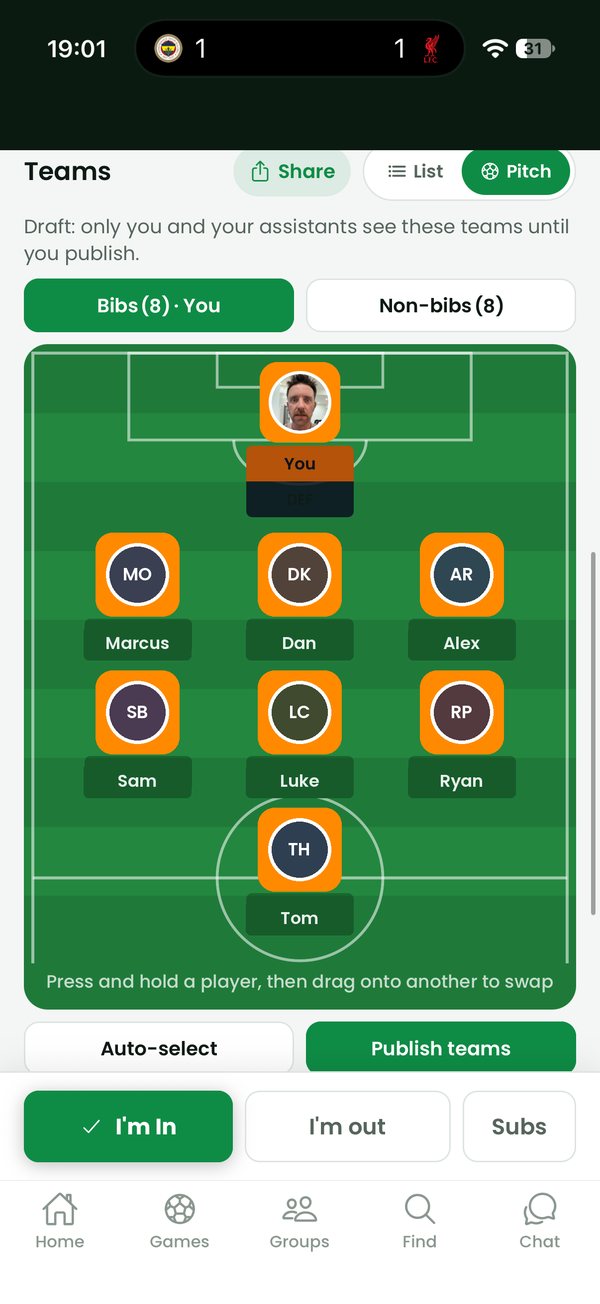
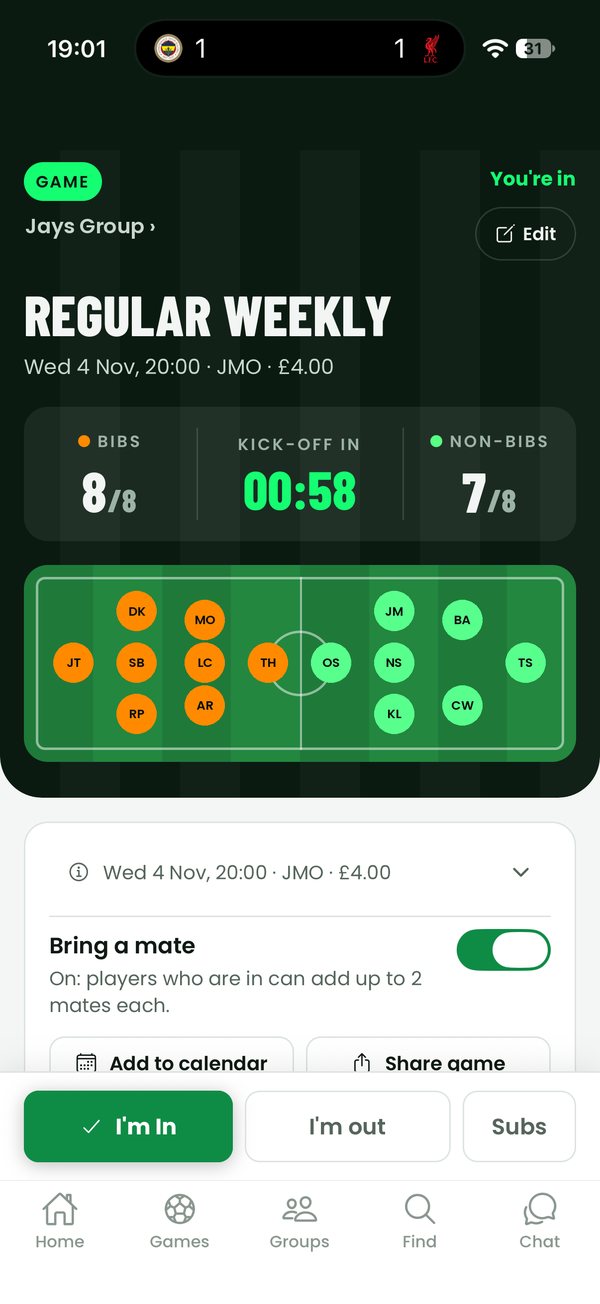
See who’s in, pick teams on the pitch, publish them. Everyone knows their team and kit.
For parents
Free. And no more group chat.
- 1Join the team
Tap the coach’s link or enter the invite code. It’s free.
- 2Add your child
First name, year of birth and position. That’s all we ask for.
- 3Check them in
One tap: in or can’t make it. Mark injuries and holidays so the coach knows.
- 4Never miss a change
Kick-off moved, pitch changed, game called off: you’ll know straight away.
Safeguarding and privacy
Built with kids in mind.
- Children don’t have accounts. They can’t sign in, chat or be messaged through KICKAPP.
- We keep only what a parent gives us: first name, optional surname, year of birth and position. No photos, no contact details, no full date of birth.
- Parents can change or remove their child at any time, and their details are deleted when the parent’s account is.
- Coaches’ notes are visible only to that team’s coaches.
- Private messages from parents go to all of the team’s coaches, never one-to-one out of sight, and can be reported to us.
- Chat can be switched to coaches only, and the squad locked so nobody joins without a coach adding them.
- Data is stored securely and handled under UK GDPR. Read our privacy policy.
Clubs remain responsible for their own safeguarding, including any checks their league or county FA requires. KICKAPP gives you the tools to keep it tidy.
Price
Casual or Club. Both free.
One app for whatever you organise. Running a weekly kickabout? Keep it on Casual. Running the Under-10s? Switch that group to Club Mode. Switch any time, and both are free to use.
Casual
For weekly games and kickabouts. Check-ins, subs, teams on the pitch, chat, payments, match reports and player cards.
Club Mode
For clubs and youth teams. Parents and children, the whole season in one go, age groups, coaches’ notes, private messages with parents, and chat on or off with a locked squad.
Get startedNo subscriptions for organisers, coaches, players or parents. Paying match fees or subs by card in the app adds a small service fee, shown before you pay. Cash and bank transfer are free.
Questions
Good questions.
Does Club Mode cost anything?
No. Club Mode is free for organisers, coaches, players and parents. The only charge is a small service fee when someone pays match fees or subs by card in the app, always shown before they pay. Paying cash or by bank transfer costs nothing extra.
How do I switch to Club Mode?
Each group you organise has a mode. Keep your weekly kickabout on Casual and switch your club teams to Club Mode. You can switch back any time.
Do kids need a phone?
No. Parents add their children and do everything for them: check-ins, alerts and injuries. Children never have an account.
What if a parent has two kids in different teams?
They add each child to the right team. Each child’s alerts come to the parent with the child’s name on them, so it’s always clear which game is which.
What happens if I switch a group back to Casual?
Children, notes and dates you’ve added stay; the Club features turn off until you switch it back.